OAuth2 - Pocket ID
OliveTin has been tested with Pocket ID. This documentation page describes how to configure Pocket ID for use with OliveTin and assumes you already have Pocket ID installed and running. It allows guests access to some actions, and admins access to all actions.
This example uses Pocket ID v2.19.2. Please check the Pocket ID docs if you are running a newer version.
Pocket ID Configuration:
Create a new user group:
Assign users to this group that will have access to all olivetin actions. We will add a custom claim that is sent to Olivetin at login.
→ Administration → User Groups → Add Group
Name |
|
Friendly Name |
|
→ Custom Claims
| Key | Value |
|---|---|
olivetin_group |
olivetin_admin |
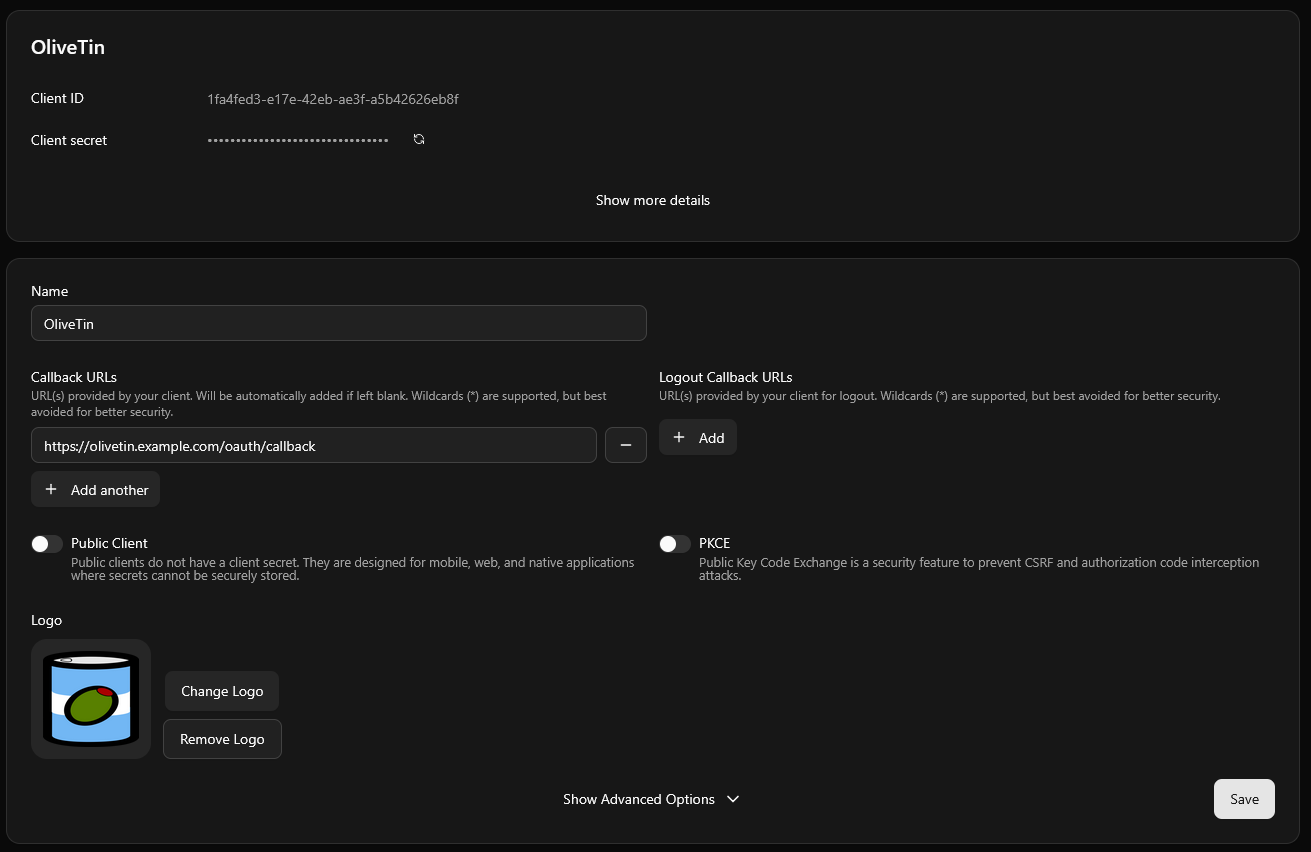
Create a new client:
→ Administration → OIDC Clients → Add OIDC Client
Name |
|
Client Type |
Confidential Client |
→ Callback URLs → + Add callback URL
Callback URLs |
|
→ Create
→ Access Tab:
Allowed User Groups → Selected user groups
→ olivetin_admins → Save
Copy the generated Client ID and Client Secret from the General tab into olivetin’s config.yaml (example below). The secret will only be displayed once.
Olivetin Configuration
authRequireGuestsToLogin: false

defaultPermissions:
  view: false
  exec: false
  logs: false

# showDiagnostics and showLogList default to true for everyone (including
# guests), so turn them off here and enable them for admins only below.
defaultPolicy:
  showDiagnostics: false
  showLogList: false

accessControlLists:
  - name: admin
    permissions:
      view: true
      exec: true
      logs: true
    policy:
      showDiagnostics: true
      showLogList: true
    matchUsergroups:
      - olivetin_admin
    addToEveryAction: true

  - name: "guests"
    permissions:
      view: true
      exec: true
      logs: false
    matchUsernames: [ "guest" ]
    addToEveryAction: false

authLocalUsers:
  enabled: false

authOAuth2RedirectUrl: https://olivetin.example.com/oauth/callback

authOAuth2Providers:
  pocket-id:
    name: pocket-id
    title: Pocket ID
    icon: '<img src="https://cdn.jsdelivr.net/gh/homarr-labs/dashboard-icons/svg/pocket-id-light.svg"/>'
    authUrl: https://id.example.com/authorize
    tokenUrl: https://id.example.com/api/oidc/token
    whoamiUrl: https://id.example.com/api/oidc/userinfo
    clientId: "[REDACTED]"
    clientSecret: "[REDACTED]"
    scopes:
      - openid
      - profile
      - email
    usernameField: preferred_username
    userGroupField: olivetin_group
    insecureSkipVerify: true

actions:
  - title: "Hello world!"
    shell: echo 'Hello World! I have guest access'
    acls:
      - "guests"
  - title: "Admins only"
    shell: echo 'Hello World! I am an admin'