Create your first action
This is an example of your very first action. First of all, edit your config.yaml, and enter this YAML markup;
actions:
  - title: Say hello
    shell: echo "Hello!"
    icon: smile
If OliveTin is running, it should popup on your dashboard like this;
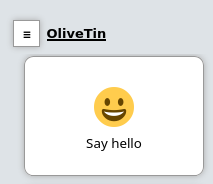
Simply click on the button to execute the shell command. You can expand the executions to view the logs.
Important considerations
-
The action title must be unique. If you have multiple actions with the same title, only one will be shown.
What’s Next?
Now that you’ve created your first action, here are some logical next steps:
-
Customize your actions - Learn how to set icons, timeouts, and other action properties
-
Add arguments to actions - Make your actions interactive with user input
-
Browse action examples - See real-world examples for common use cases
-
Schedule actions - Set up actions to run automatically on a schedule
-
Trigger actions via webhooks - Integrate OliveTin with external systems
-
Organize actions with dashboards - Create custom views to organize your actions