Concurrency
By default, OliveTin will allow you to run several instances of an action at the same time. For example, an action might take 20 seconds, and if you click the button 3 times, for a time there will be 3 actions running at the same time.
Sometimes you don’t want to allow this - an example case where it would not make sense is in the case of a backup script. To stop this, we can set maxConcurrent to 1.
actions:
  - title: Run Backup Script
    icon: backup
    shell: /opt/backupScript.sh
    maxConcurrent: 1
If you try and run a 2nd instance of this action while the first is currently running, you’ll get a "blocked" message that looks like this;
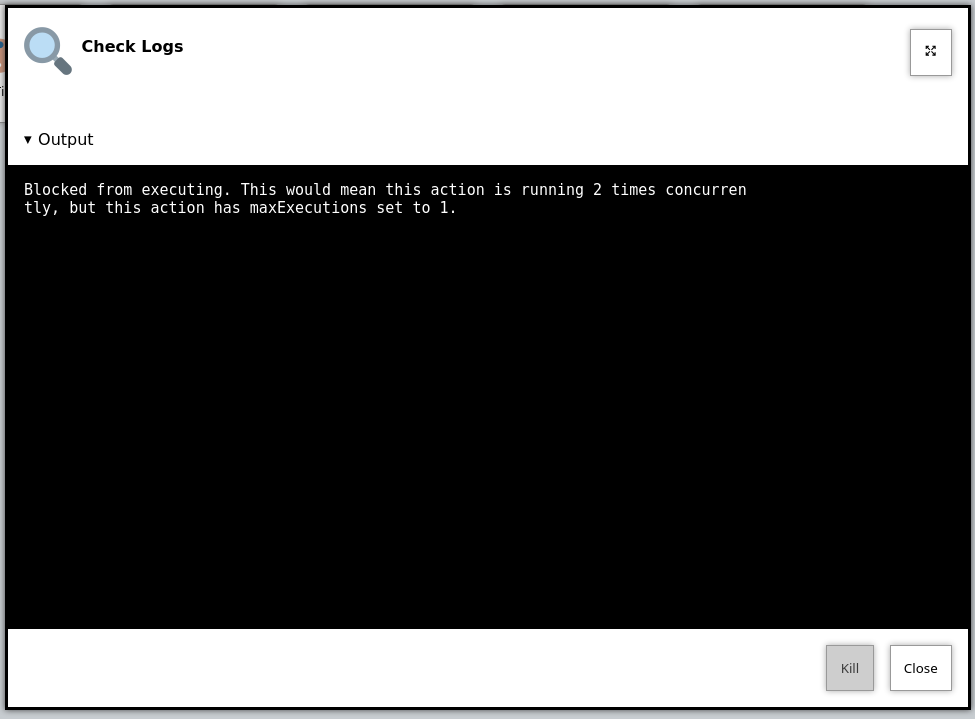
Additionally, OliveTin will log a message that looks like this;
INFO Action requested                              actionTitle="Run backup script"
WARN Blocked from executing. This would mean this action is running 2 times concurrently, but this action has maxExecutions set to 1.  actionTitle="Run backup script"
Naturally, you can set maxConcurrent to 3 or some other number, to limit the amount of times the action executes at once.
Action groups
Sometimes you need to limit concurrency across several different actions. For example, Unity only allows one build at a time, but you might have separate actions for different platforms.
Use actionGroups to define a shared limit, and assign actions to a group with groups:
actionGroups:
  unity:
    maxConcurrent: 1
    queueSize: 5

actions:
  - title: Unity Android Build
    shell: /opt/unity/build-android.sh
    groups: [ unity ]

  - title: Unity iOS Build
    shell: /opt/unity/build-ios.sh
    groups: [ unity ]
maxConcurrent vs queueSize
Action groups define two related limits:
-
maxConcurrent— how many executions in the group may run at the same time. When every slot is in use, new requests wait for a free slot instead of running immediately. -
queueSize— how many executions may wait in the queue for a slot. If the group is full and the queue already holds this many waiting executions, additional requests are blocked (the same "blocked" status as per-action concurrency).
For example, with maxConcurrent: 1 and queueSize: 5, OliveTin can have one execution running and up to five more waiting. A seventh request while those six are still outstanding is blocked.
queueSize defaults to 5 when omitted.
When the group limit is reached but the queue is not full, additional requests are queued automatically and run in order when a slot becomes free. Queued executions appear in the logs with a queued status.
Per-action maxConcurrent still applies to actions that are not in a group. For actions in a group, concurrency is governed by the group maxConcurrent and queueSize settings instead. A second request for the same action may run concurrently when the group has spare capacity, or join the queue when the group is full.
Actions that are not in a group are never queued. They only use their own maxConcurrent limit (default 1).
The queue is held in memory. If OliveTin restarts while actions are queued, those queued requests are not preserved.