Diagnostics
OliveTin provides a built-in diagnostics page that can be used to help check how OliveTin is running and help to troubleshoot issues.
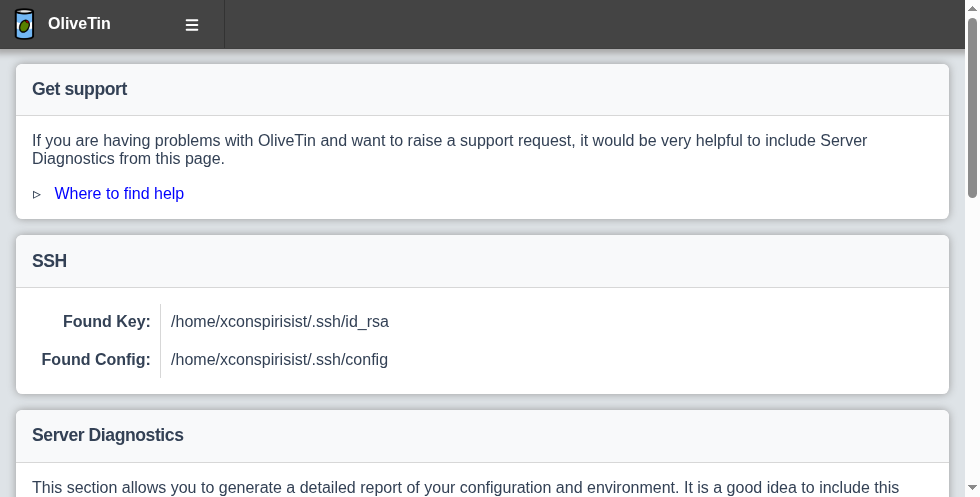
This is a screenshot of the diagnostics page, which can be accessed by clicking the "Diagnostics" link in the navigation bar:
Configuration issues
The Diagnostics page includes a Configuration issues section. OliveTin checks the loaded configuration for problems such as:
-
Filesystem watch paths that cannot be created (for example missing directories used by
execOnFileCreatedInDir) -
Argument templates that fail to parse
-
Missing entity files or empty entity data for entity-bound actions
-
Invalid cron schedules
-
Entity-bound actions that also use
execOnCron(cron cannot bind an entity) -
Unset environment variables referenced from configuration
-
Other sanitize-time warnings (for example unknown action groups)
When one or more issues exist, the Diagnostics navigation link shows a count badge with the number of issues so operators notice without opening the page first. The list and badge refresh after configuration reload and after entity file changes.
Issues that refer to a specific action are only shown to users who are allowed to view that action. The badge count uses the same per-user filtering. Issues that are not tied to an action (for example unset environment variables) remain visible to anyone who can open Diagnostics.
Where possible, each issue includes the configuration source file that defined the related action or entity (for example a file under an include directory).
Disabling Diagnostics
The diagnostics page is enabled by default, but you can disable it by using the OliveTin security policy configuration, using the defaults, or via an ACL. Examples are shown below for each of these methods.