Human in the Control Loop
This solution shows a simple control-panel pattern where a human operator sees live status on a dashboard and decides when to run an action.
A hidden background action keeps the displayed status up to date, while the dashboard only shows the operator control you want them to use.
How it works
-
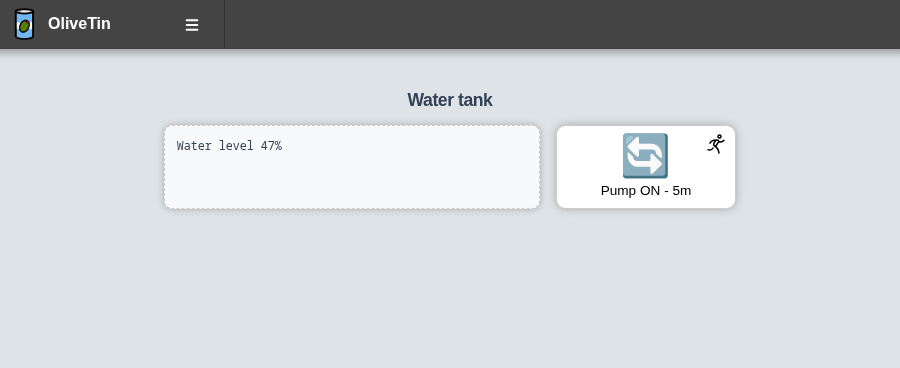
Pump ON - 5m is the only visible action on the dashboard. The operator starts the pump when they choose.
-
Update Water Level is a hidden action that runs on startup and on a schedule. It prints dummy output (
Water level 47%) that OliveTin keeps in the action logs. -
A most recent execution dashboard component shows the latest output from Update Water Level, so the operator always sees the current reading without clicking a refresh button.
When the pump action finishes, it triggers Update Water Level so the displayed value can be refreshed after manual control.
Configuration
config.yaml---
logLevel: "WARN"
checkForUpdates: false
showFooter: false
actions:
- title: Pump ON - 5m
id: pump_on_5m
icon: restart
shell: |
echo "Pump started"
sleep 300
triggers:
- Update Water Level
- title: Update Water Level
id: update_water_level
shell: echo "Water level 47%"
hidden: true
execOnStartup: true
execOnCron: "*/1 * * * *"
dashboards:
- title: Human in the Control Loop
contents:
- title: Water tank
type: fieldset
contents:
- type: stdout-most-recent-execution
title: update_water_level
- title: Pump ON - 5m